
For working photographers
Photographer CRM — the inquiry, the album, and the invoice on one client
Someone writes you about a wedding, a family session, a brand day. That should become a client, a shoot album, and a bill — not three tools that never talk. FWDLink keeps the lead, the photos, and the invoice on the same studio page.


Leads on your page
Inquiry forms land in one pipeline. You know who is new, who got a quote, who booked.
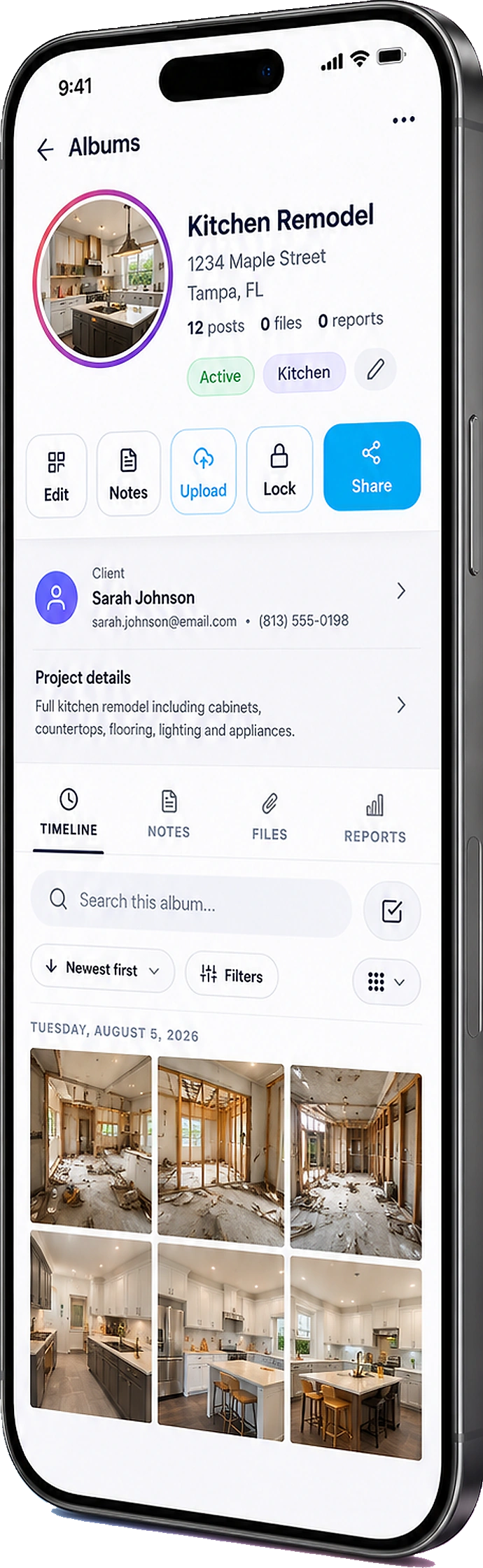
Client + album together
The people you shot are not a row in a sheet. Their gallery lives on the same record as their messages.
Invoice the shoot
Send the bill from the same place you delivered sneak peeks. Photos can ride along so nobody asks what they are paying for.
How it works
01
Put an inquiry form on your page
Weddings, portraits, brands — they write you on the same FWDLink you already share.
02
Move the lead, save the client
Work New → quoted → booked. When they are yours, they sit next to the album you will fill.
03
File the shoot as you edit
Sneak peeks, selects, and the rest land on that client — not a folder named “final FINAL 2”.
04
Send the invoice from the same record
They already have the gallery link. The bill is not a surprise from another inbox.
A gallery is not a studio CRM
Delivery is one job. Remembering who inquired, who paid the retainer, and which album belongs to which couple is another. Photographers bounce between a share link, a notes app, and whatever they use to invoice. FWDLink is the page that captures the lead, the album you keep adding to, and the invoice — one client, not three logins.
The album belongs on the client
When the sneak peeks go out, they should attach to that booking — not float in a generic cloud folder. Add finals later. The same people still have the same link. You stop hunting which Drive you used in March.
Quote and collect without a second stack
Attach photos to the estimate so the package is obvious. After the shoot, invoice from the same client. Online payment fees are on Plans — no surprise pitch here. If you already love a proofing tool for selects, keep it. This is the studio home: lead, delivery, paid.
Frequently asked questions
Is this just another client gallery?
No. The gallery page is delivery. This page is how you run the studio: inquiries, clients, albums on those clients, and invoices.
Can I keep wedding and portrait jobs in one place?
Yes. One pipeline, one client list. Each shoot still gets its own album.
Can the invoice include photos from the album?
Yes. Attach photos, video, or a live FWDLink so the bill matches the work they already saw.
Do clients need an account to view their gallery?
No. They open the link in a browser.
Can I take the next booking from my page?
Yes. Portfolio albums plus a request form — same page you share in your bio.
Is this only for photographers?
It is written for studios that shoot and bill. Videographers have their own CRM page. Service businesses can use the general business CRM.
Related
More FWDLink pages
- Photographer client gallery — experience over download dumps
- From page lead to paid job — one flow
- Wedding photographer gallery
- CRM with photo upload
- Photo sharing for photographers
- Videographer CRM
- Portrait photographer gallery
- Let them pick a time on the page you already share
- Your link captures leads — and can run the job