FWDLink
Save it. Fwd it. Get Paid.
Where you save your content. They only see the album you FWD.
You’ve already shot it — the job, the listing, the drop, the day with family. Recents is a pile. Give the keepers an album or a record: a person, a place, a client, a trip. Photos, video, audio, files, and lists, together. Then FWD a live link, put a set on your page, or attach the same media to the invoice. The rest stays private. That’s the relief of sending the set — not the chaos.
Private until you FWD · Photos, video, audio, files · Same media on invoices · Free to start
The problem
The set they asked for is in there. It is not a library.
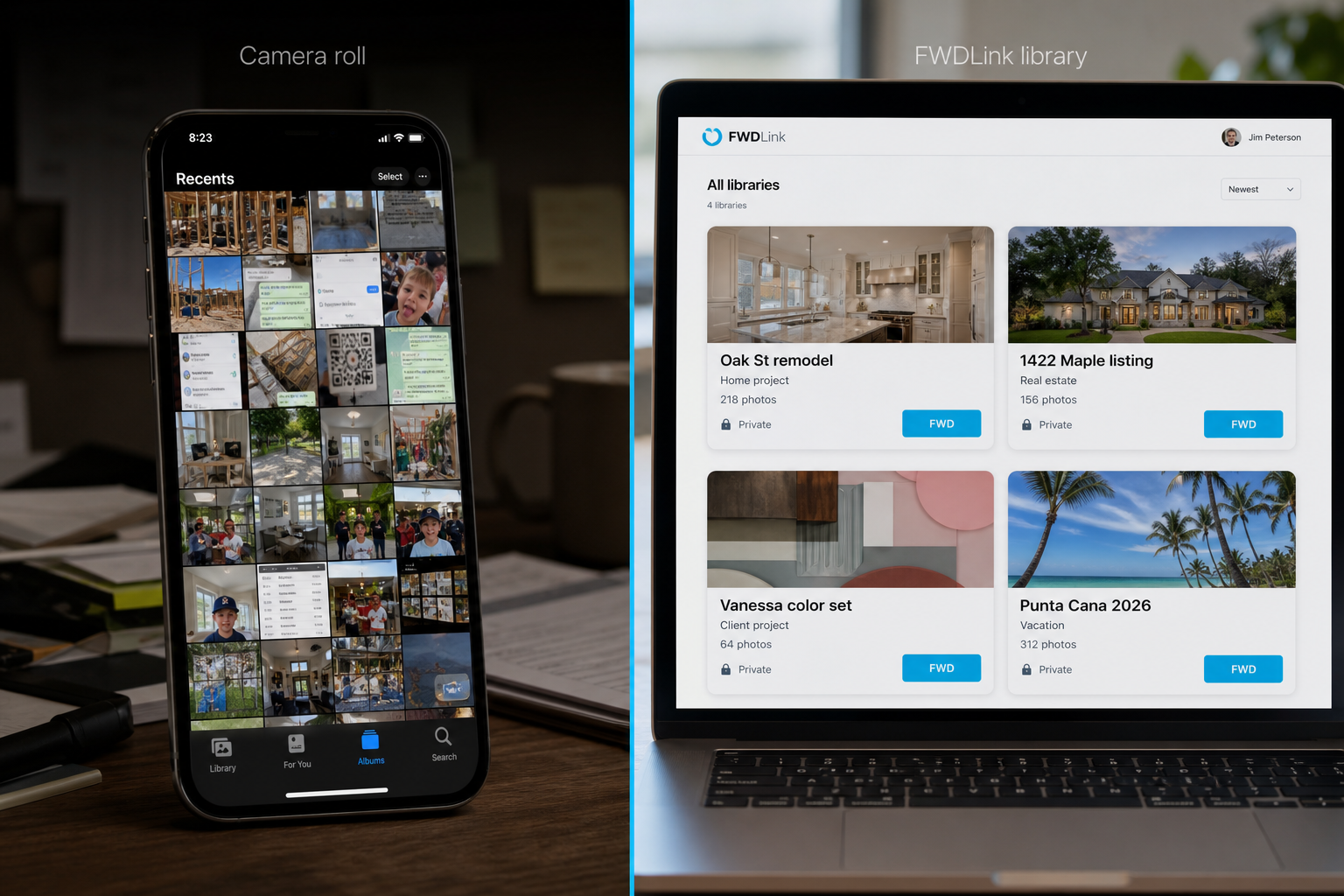
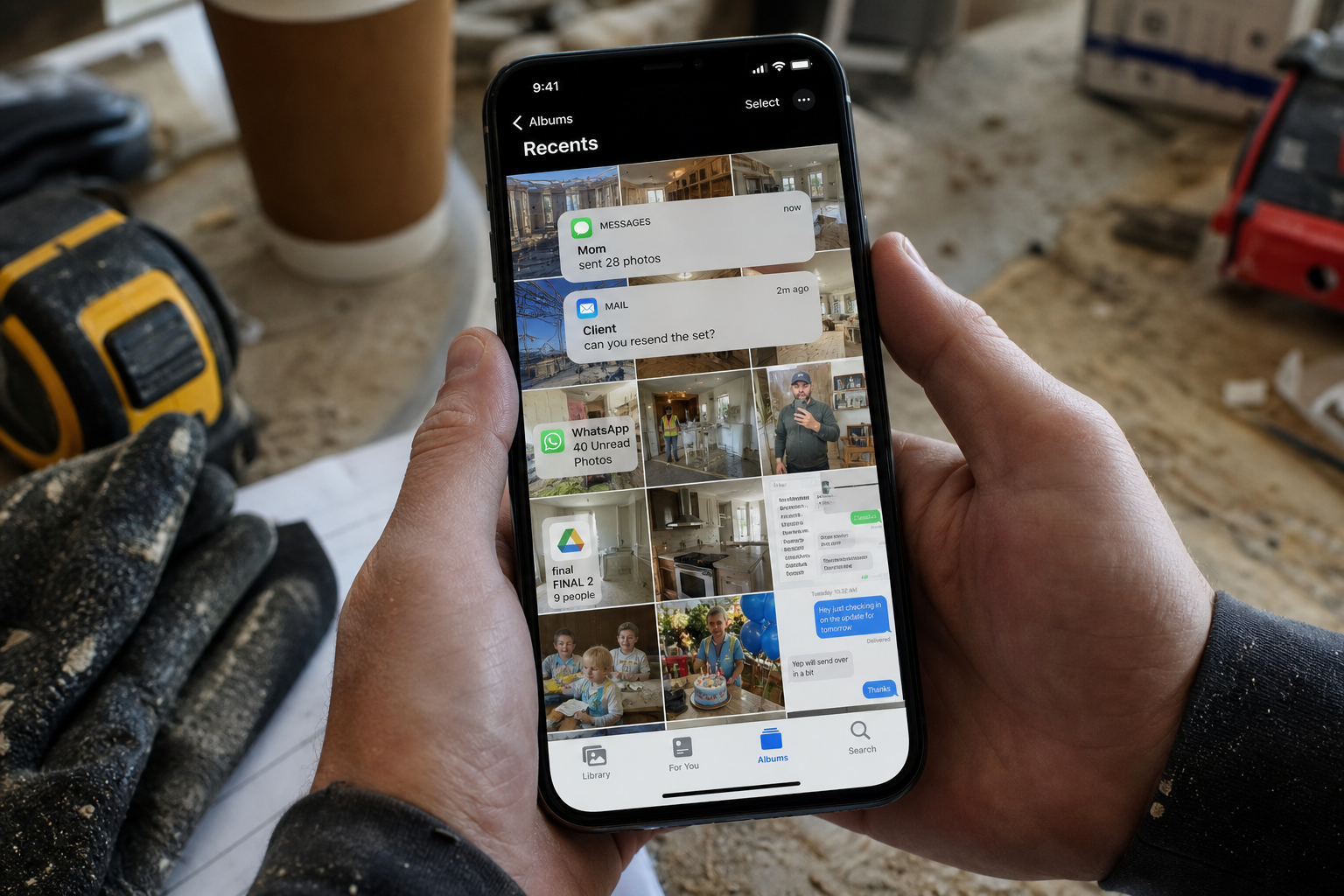
Photos in Recents. Walkthrough video in Messages. Listing selects in email. Voice memos in a salon chat. BTS clips and PDFs in three folders named “final.” Vacation stills vanish in a family thread. When the GC, the buyer, a fan, or your aunt asks for the set — you hunt for twenty minutes. They wanted the day. You have a pile.
The fix
Give it a home. Then send the album you’re proud of.
Upload the mixed set into an album or record — by job, client, listing, campaign, or trip. Then FWD a live link that stays current as you add more. Feature the keepers on your page. Pull the same files onto the estimate. One library. The send you actually meant.
Save it. Fwd it. Get Paid.
The library is yours. They see the album you choose.
Your page is the storefront. The library is home — photos, video, audio, files, and lists for work and life. Clients, buyers, fans, and family only see the album you FWD — or the set you pin on fwdlink.com/you. Everything else stays behind your login.
How it works
Give the set a home. FWD the album. Get paid with the same shots.
Upload into an album or record first — then send a link someone is glad to open, and media you can bill with.
01
Upload it
Pull photos, video, voice notes, and PDFs out of Recents, Messages, and the folders you keep renaming. Upload them into an album or record in this library — then FWD.
02
Organize by person, place, or job
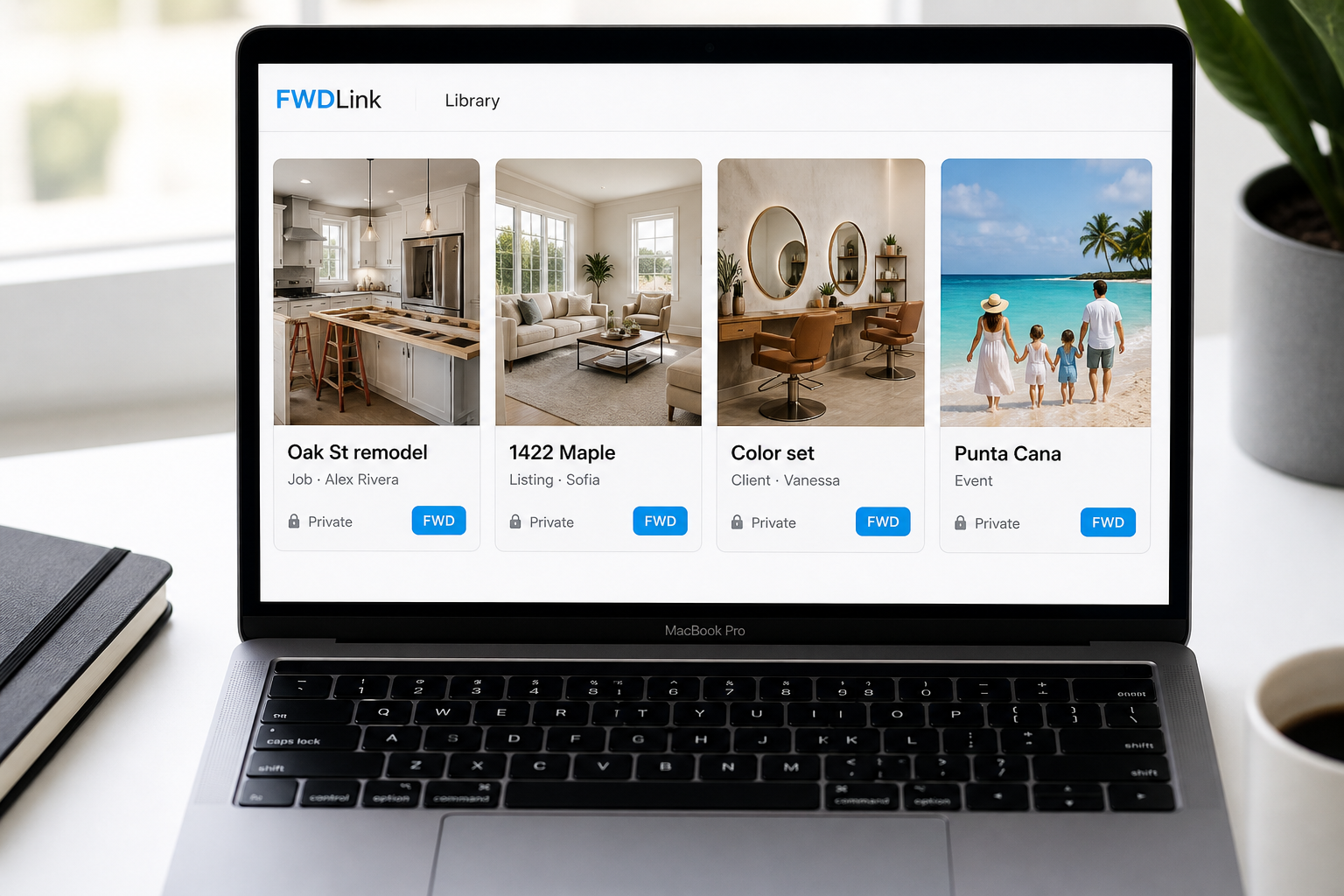
One album per client, address, listing, campaign, trip, or shoot. Find Oak St or Maya’s drop in seconds — not a folder named final_v3.
03
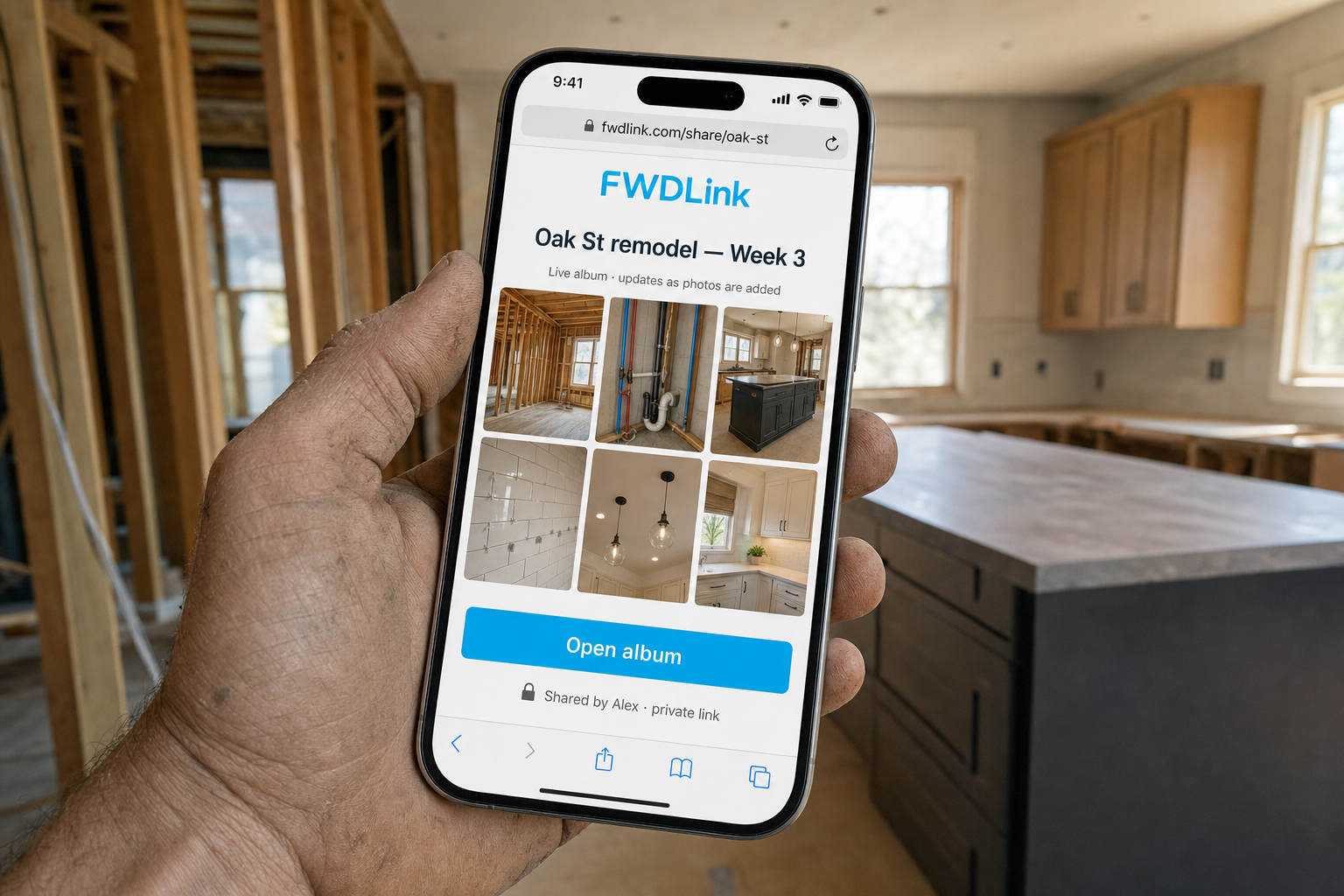
FWD a live album link
Send a URL. The GC, the buyer, or your relatives open it in a browser — no app, no account. Add Friday’s shots and they still have the same link. That’s the send that feels like you meant it.
04
Attach the same media and get paid
Pull library photos, clips, files, or a live FWDLink onto the estimate and the invoice so the bill shows the work. You already saved it once.
Albums you can actually find — next month, not just tonight
Name an album the way you would say it out loud — Oak St, Maya’s campaign, Punta Cana — and it is still obvious six months from now. Work and life can live in the same place.
By person, place, event, job, client
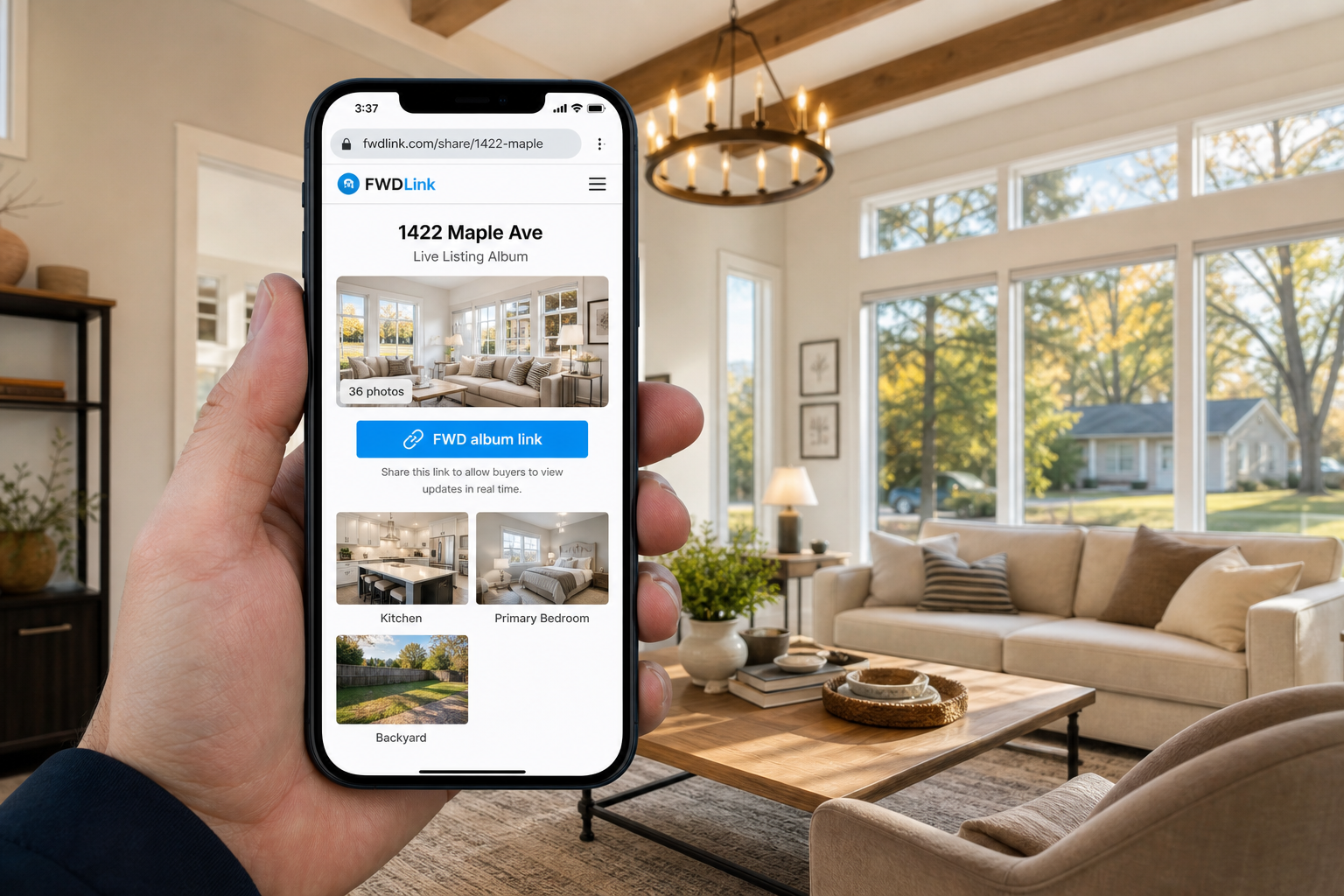
Oak St remodel under Alex. 1422 Maple under the listing. Vanessa’s color set under the client. The campaign under Maya. The trip under the family.
FWD Lists travel with the album
Punch lists, shot lists, packing lists, vendor picks — attach them to the album or FWD the list alone.
Photos, video, audio, files, lists
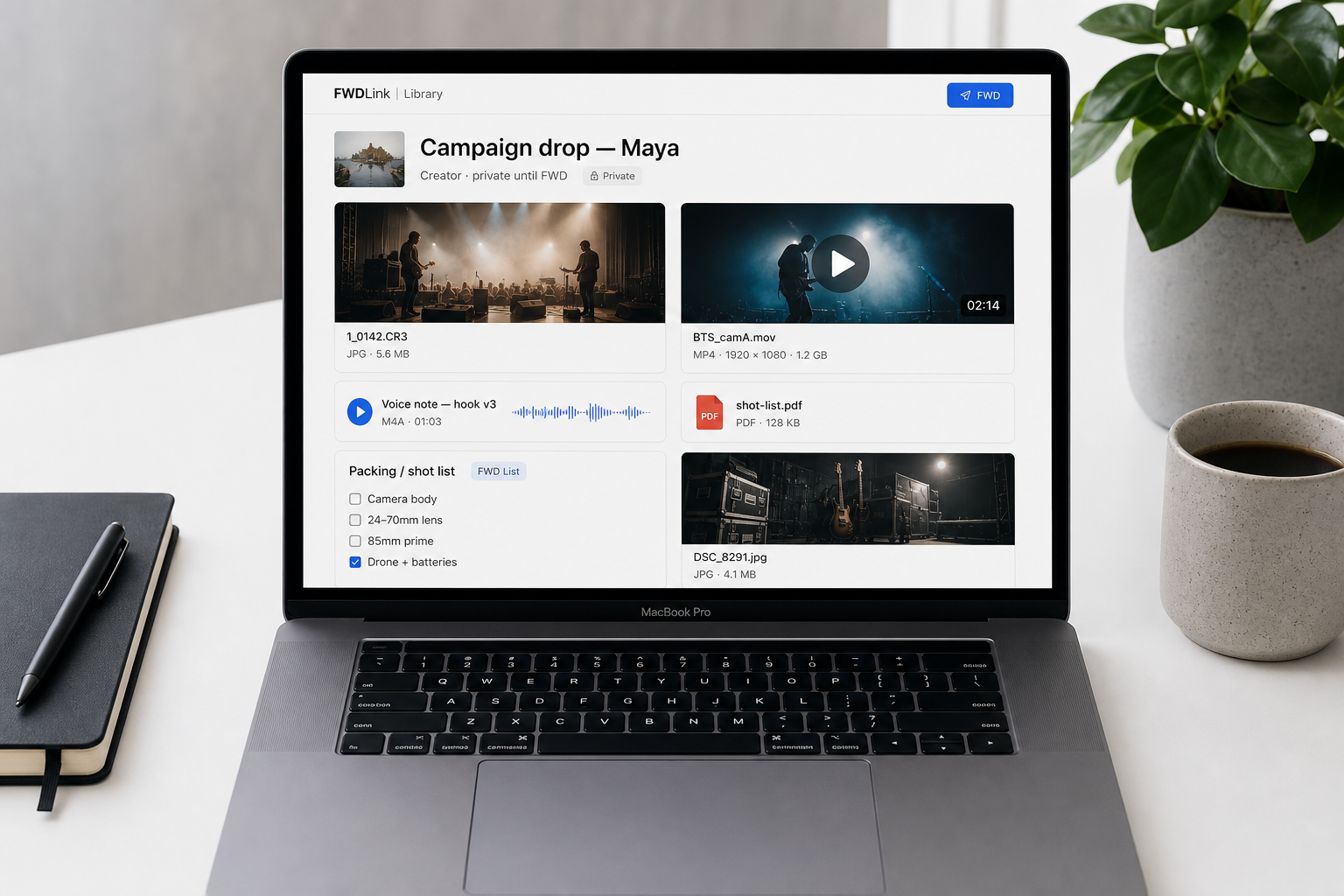
The set is more than JPEGs. Clips, voice notes, PDFs, and checklists sit next to the shots you FWD.
A live album link they’re glad to open
A FWD is a selective link you send — the birthday, the listing, the walkthrough. Recipients reopen the same URL for the latest set. Turn it off when the job, the listing, or the trip is done.
Private until you share
Uploads stay in your library until you send a link, feature an album on your page, or attach media to a document.
Live — not a stale zip
Add Saturday’s shots after you already sent the URL. Buyers and GCs reopen the same link — no new folder, no new send.
Opens in a browser
Clients and family don’t need a FWDLink account — or another app — to view what you forwarded.
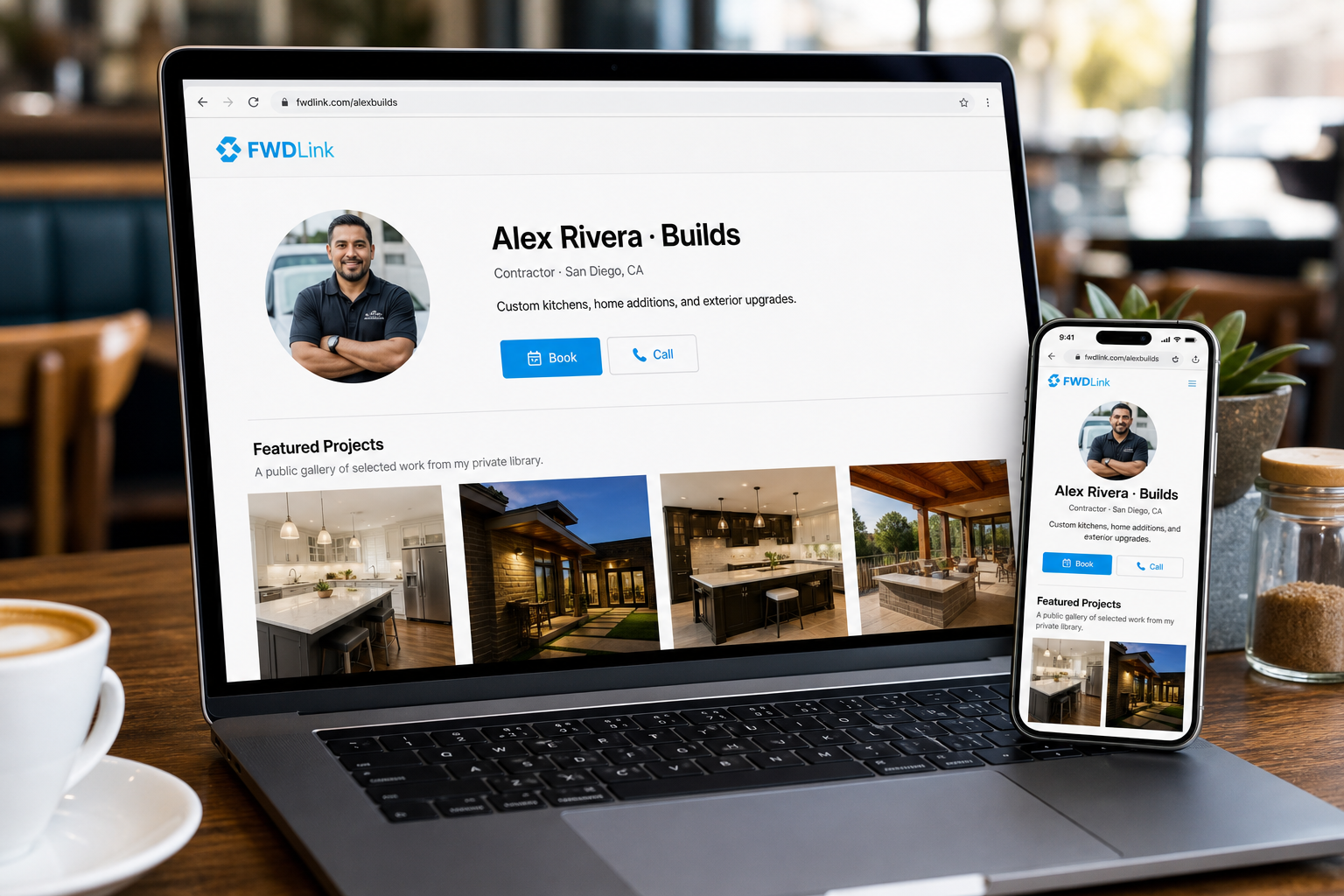
Your page is the front window. The library is home.
Feature only what converts on fwdlink.com/you. Keep work-in-progress private. Both pull from the same library — see it on /alexbuilds, /vanessa, and /sofiahomes.
Public page, always on
Profile, galleries, booking, and contact at one URL — the set you choose to show.
Library, private by default
Everything else stays behind your login until you FWD it.
Same photos on the estimate. Same proof on the invoice.
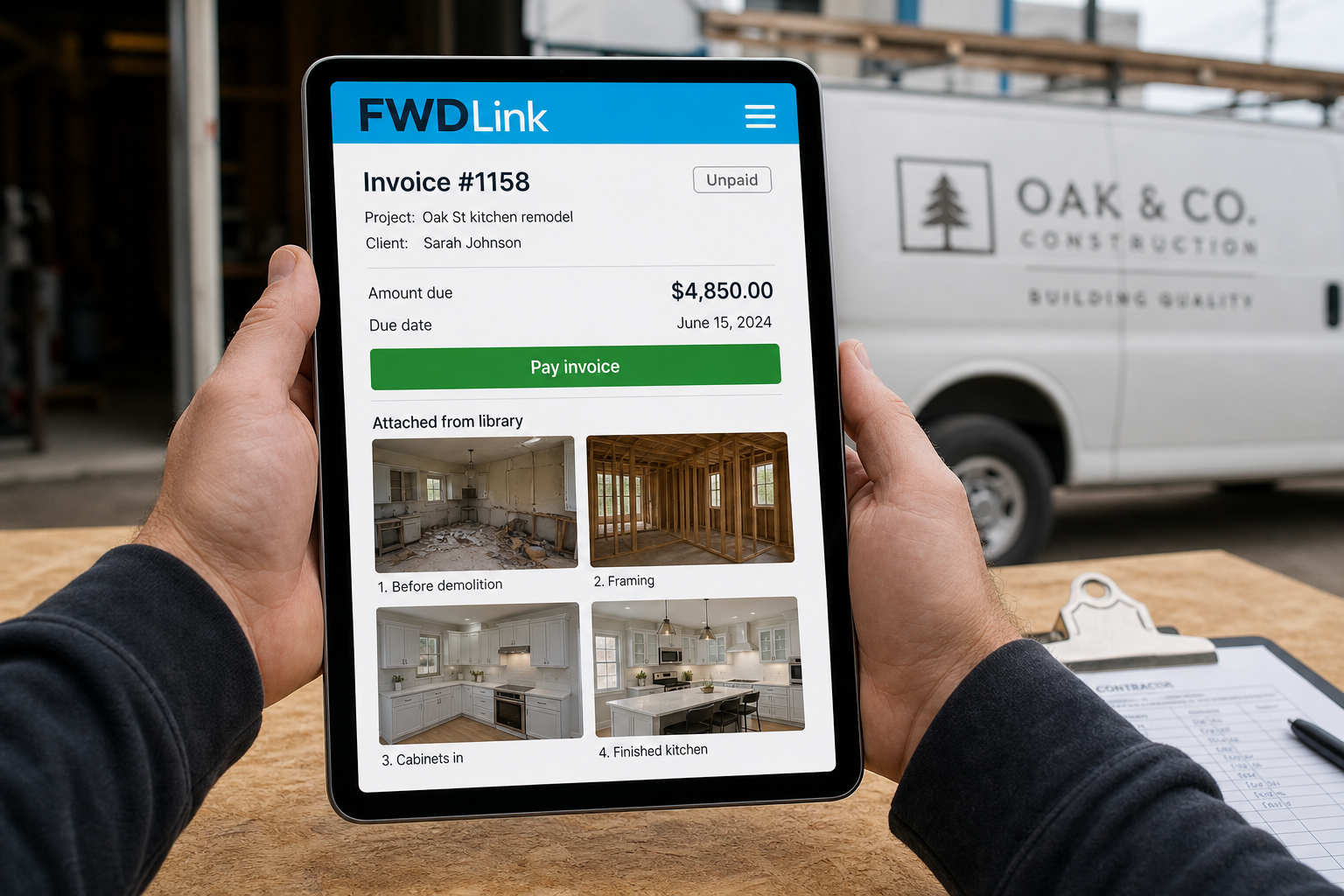
Monday you bill Oak St. The walkthrough shots are already in the album — attach them so the client sees the work next to the total. That’s getting paid with the proof, not a second hunt.
Attach from the library
Pull photos, video, files, or a live FWDLink into estimates and invoices in the same workspace — no export to another tool.
Proof travels with the bill
Before-and-afters, jobsite progress, and signed-off selects sit on the document you send.
Get paid without a second archive
Library, page, and invoices share the same media. You already saved it once.
Ways to use it
Same private library. The album they actually needed.
Creators, contractors, realtors, salons, families — upload the mixed set, then FWD only what that person needs.
Creators
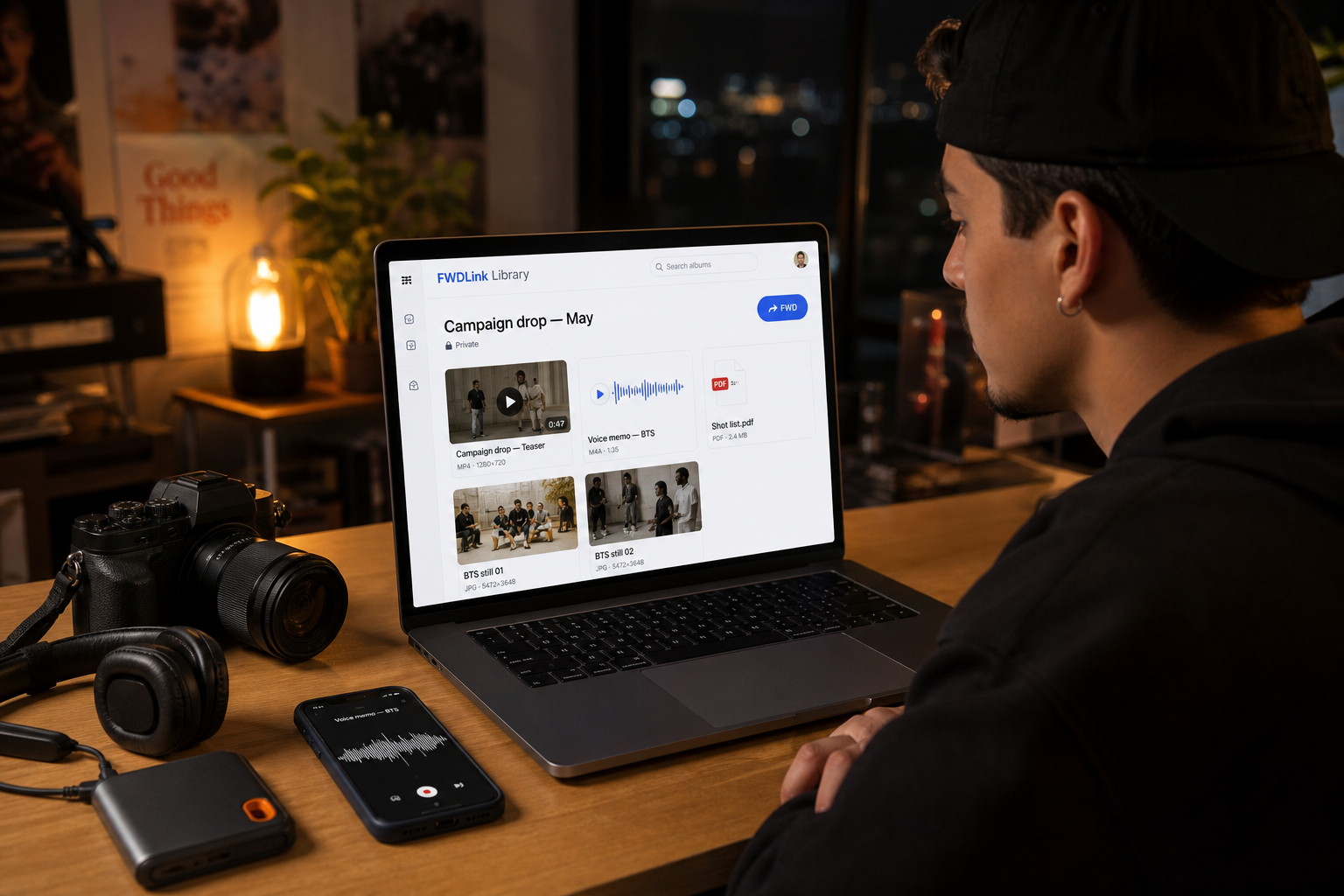
Raw footage, voice notes, BTS — one album
Clips, voice memos, PDFs, and stills scatter across chats and folders. Upload the campaign into an album, then FWD a pack fans open in a browser — no extra app.
Contractors
Friday walkthrough → Monday invoice
Walkthrough video and stills live in Messages and Recents. Upload the set by address, attach the punch list, FWD the live link to the GC, then pull the same media onto the invoice. See it on fwdlink.com/alexbuilds.
Realtors
A listing pack buyers forward to each other
Pin 1422 Maple. Share a live set the spouse can reopen tonight. Feature the hero shots on your page. See it on fwdlink.com/sofiahomes.
Beauty & services
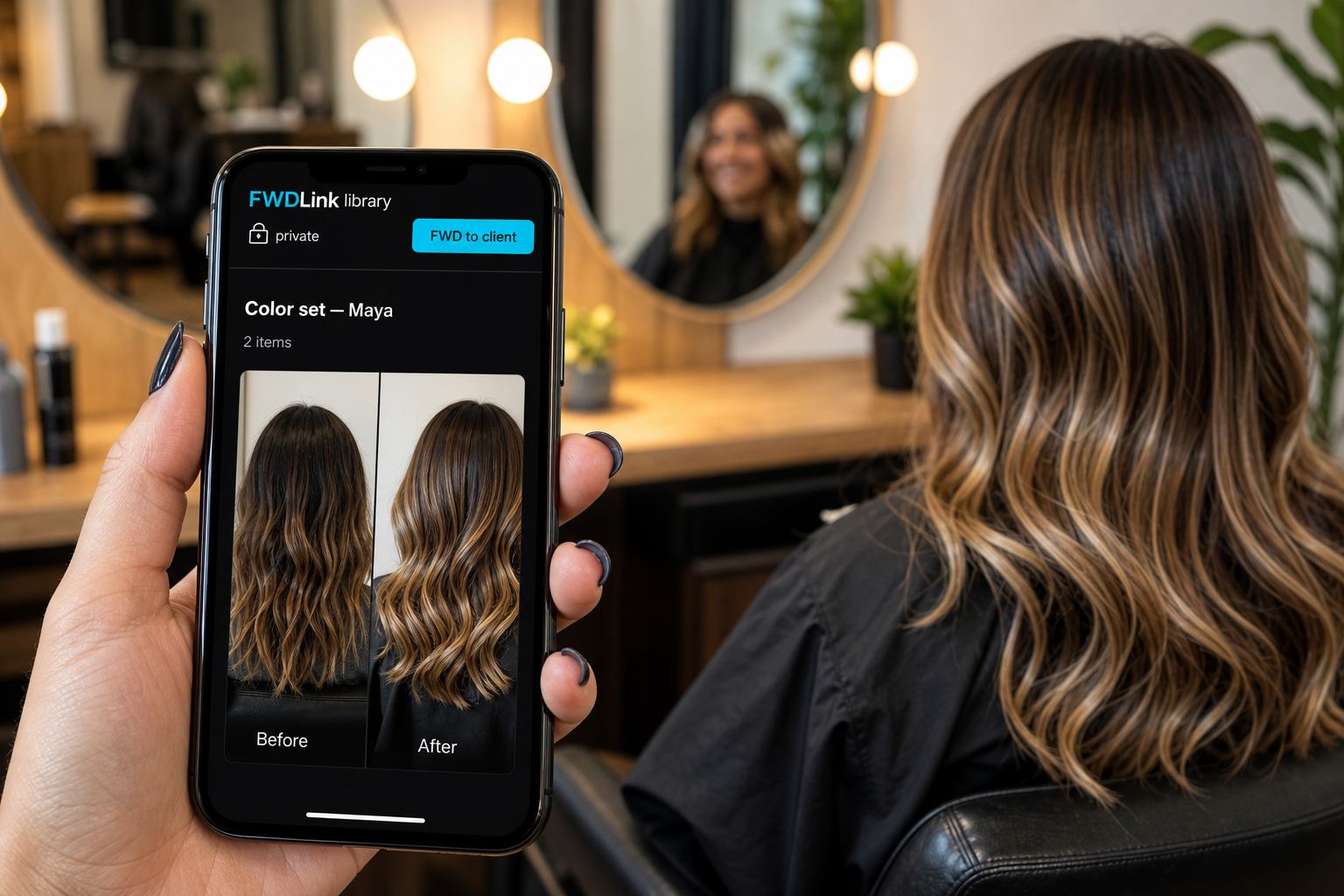
Before/after you FWD — then book from
Before/afters and voice notes drown in the salon chat. Upload the color set privately, FWD the look, pin keepers on your page, and get paid from the same place. See it on fwdlink.com/vanessa.
Families
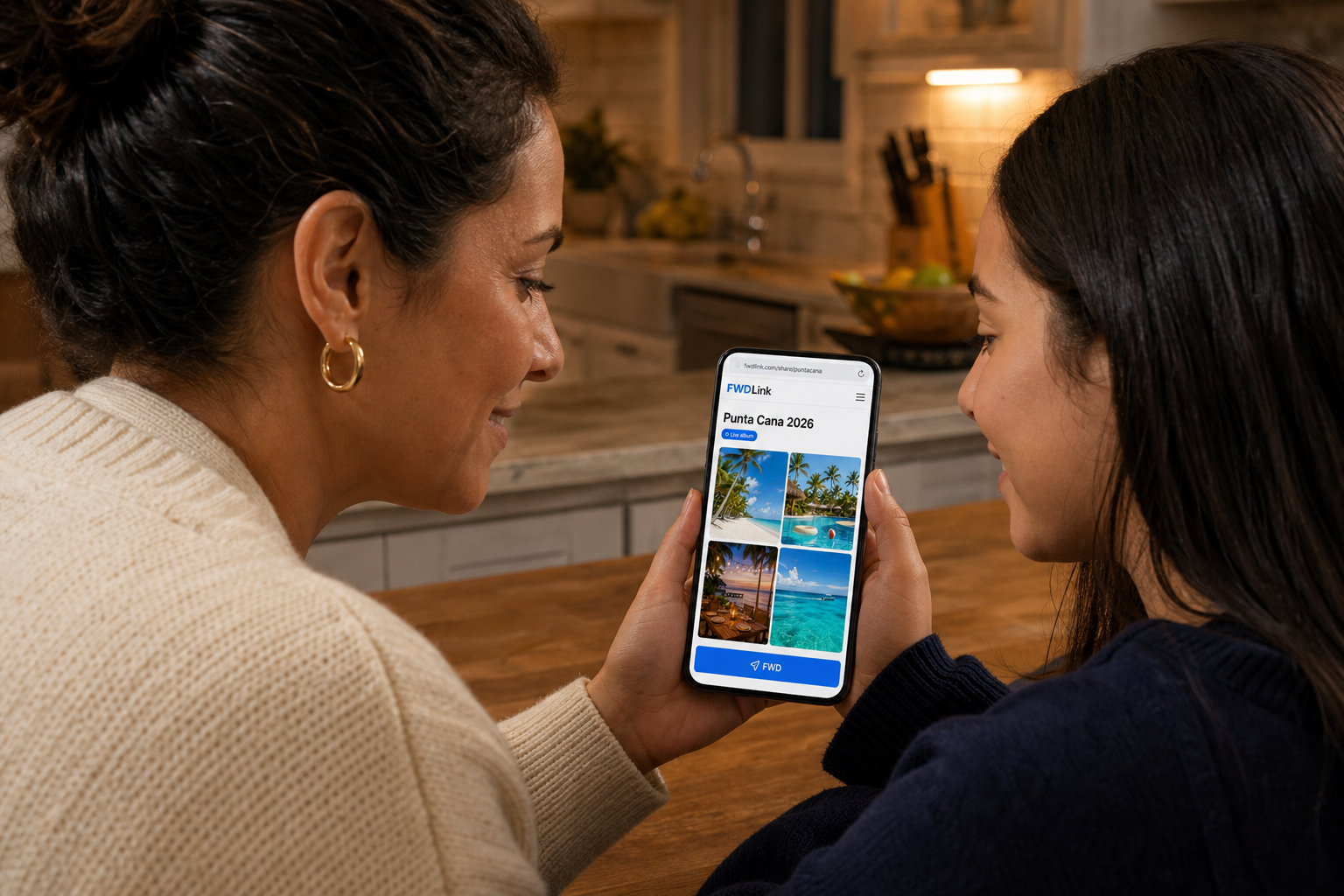
One vacation link — not 80 photos in the chat
Punta Cana stays in one album. FWD it to relatives. They open it in a browser. You can add Saturday’s shots without a new thread — and grandma actually sees the water.
Photographers
Client galleries that stay live
Deliver selects behind one link. Keep adding without a new folder every time. Feature the portfolio on your public page.
Get paid
Save it. FWD it. Get paid — from the same library.
Claim your free page, give the next set a home, and attach the same photos to estimates and invoices when you’re ready to bill.
Free forever plan · Your page goes live now
See PlansFrequently asked questions
- Is my content library public?
- No. Your library is private by default. Content stays there until you share an album link, feature a set on your public page, or attach it to a document you send.
- Where do creators save all their content?
- Creators still use SSDs for active edits and drives or NAS for raw archives. FWDLink is the content library for what you reuse and send — photos, video, BTS, audio, and files in one private home. Save it, FWD a live link to an editor, brand, or client, and attach the same files to invoices when you get paid.
- Can I share an album link without an app?
- Yes. FWD a live album link and anyone opens it in a browser. They don’t need a FWDLink account to view what you sent.
- How is this different from Google Photos?
- FWDLink is a private library of albums by job, client, listing, or trip. You FWD a live link you can turn off, feature keepers on your public page, and attach the same files to estimates and invoices. Recents stays on the phone — the set you send lives in an album.
- How is this different from Dropbox or Drive?
- FWDLink is built around the send: albums people open in a browser without an account, a storefront page for what you feature, and CRM docs that reuse the same media. Upload into an album, then FWD.
- What can I store in the private content library?
- Photos, video, audio, files, and links in albums or records — plus FWD Lists (punch lists, shot lists, packing lists) you can attach or share on their own. Upload first, then FWD.
- Can estimates and invoices use library photos, video, or a FWDLink?
- Yes — attach photos, video, files, or a live FWDLink from the same library so proof travels with the bill. Video plays on the public invoice or estimate; the FWDLink stays current as you add more.
- Do share links go stale when I add more photos?
- Live album links update as you add media. Recipients reopen the same URL for the latest set. You can turn a FWD off when you’re done.
- Can my phone, GoPro, or smart glasses feed this library?
- Yes. Offload to the phone, then upload into an album or record in this library. FWDLink is not a camera or glasses product — it’s the library you FWD from.
- What’s free to start?
- A free plan lets you claim your page, build your private library, and FWD links. No credit card to start. See /plans/ for storage and paid extras.
Give the next set a home you’re glad to send — and get paid from
Start free. Upload the mixed set once, FWD a live album link, feature what converts on your page, and attach the same media to estimates and invoices.
Keep exploring
- Where creators save all their content
- Forward link
- You captured it hands-free. Send the album — not Recents.
- The photos they asked for — not your entire camera roll.
- You clipped it. You flew it. Send the album — not the card dump.
- Show the listing you’re proud of — in one live link.
- The birthday grandma can actually find — in one family album.
- Send home the day you actually lived.
- Build the list. Attach it. FWD it.
- Your private photo vault.
- Quote to cash — your page plus the CRM that closes it
- One public page. Your library stays private.
- Jobsite photos on your page — trust first, then the close
- Plans & pricing